
Download MindMaple Pro – Collaborative Brainstorming & Mind Mapping Tool
Overview
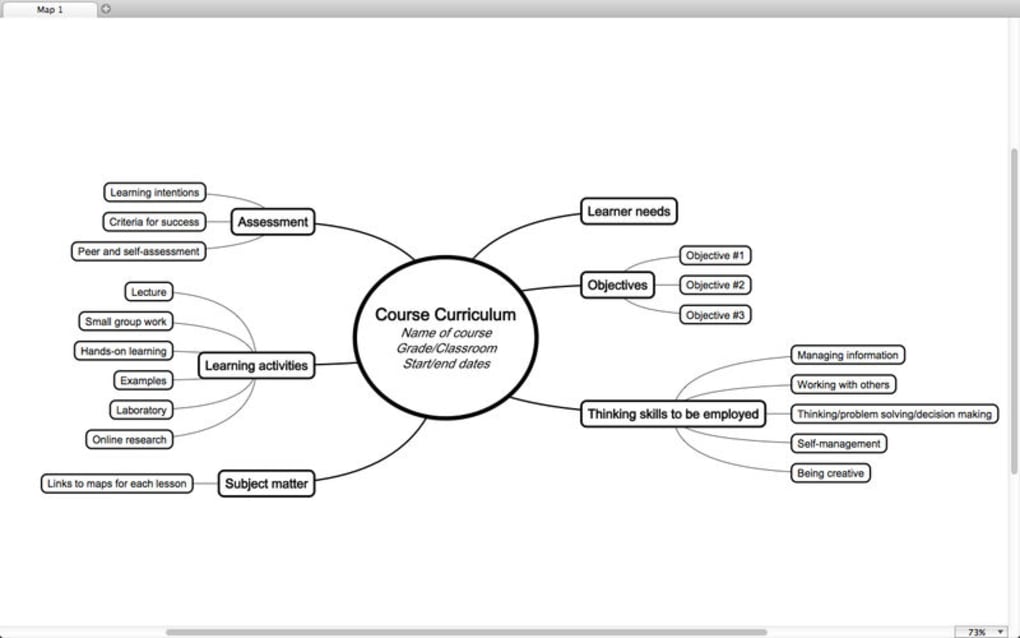
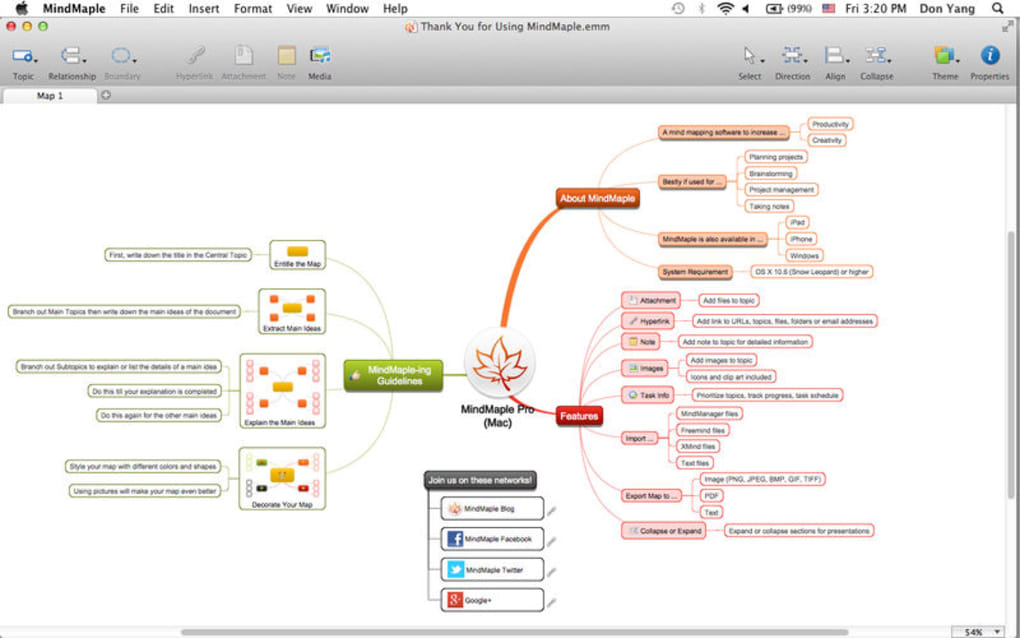
MindMaple Pro is a modern brainstorming and mind‑mapping application designed for individuals, educators, and teams who need a visual way to capture, organise, and share ideas. Built around a drag‑and‑drop canvas, the app lets you turn fleeting thoughts into structured diagrams in seconds. Whether you’re planning a project, drafting a presentation, or simply outlining personal goals, MindMaple Pro provides a flexible workspace that supports text, images, videos, links, emails, and file attachments.
The collaborative layer is the real differentiator: multiple users can edit the same map in real time, comment on nodes, and instantly see changes reflected across devices. Export options include PDF, high‑resolution images, and plain‑text outlines, making it easy to move from digital brainstorming to printable reports or slide decks. Security‑focused teams will appreciate the built‑in encryption and permission controls, while creative freelancers will love the rich library of clip‑art, themes, and custom styling tools.
In short, MindMaple Pro turns abstract ideas into concrete, shareable artefacts without the steep learning curve of traditional diagramming software.
Key Features and Collaboration Power
- Intuitive Drag‑and‑Drop Canvas: Create nodes, sub‑nodes, and connectors with a single click; reposition elements instantly.
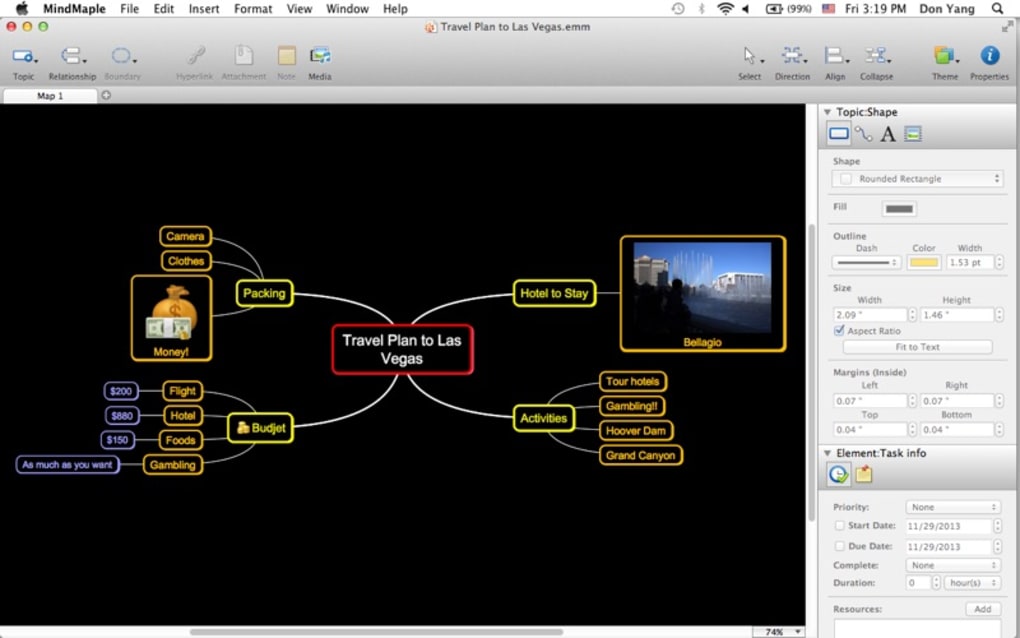
- Multimedia Support: Embed images, videos, audio clips, and hyperlinks directly into any node.
- Rich Clip‑Art Library & Themes: Choose from hundreds of icons, shapes, and colour palettes to match your brand or personal style.
- Real‑Time Collaboration: Invite teammates via email or link; watch edits appear live, with version history and change tracking.
- Advanced Linking: Connect mind maps to files, folders, emails, or external URLs, turning a map into an interactive knowledge hub.
- Export & Sharing Options: Export to PDF, PNG, JPEG, SVG, or plain‑text; share read‑only links or embed maps on websites.
- Secure Permissions & Encryption: Set view, comment, or edit rights per user; data is encrypted both at rest and in transit.
- Cross‑Platform Sync: Changes sync automatically across Windows, macOS, Android, and iOS devices.
- Templates & Auto‑Layout: Start with pre‑built brainstorming, SWOT, flowchart, and project‑planning templates; auto‑arrange nodes for clarity.
- Offline Mode: Work without an internet connection; all changes sync once you’re back online.
Beyond the feature list, MindMaple Pro shines in its ability to adapt to different workflows. Educators can use the collaborative board as a virtual whiteboard during remote classes, while product managers can map user journeys and share them with development teams instantly. The combination of multimedia support and real‑time editing eliminates the need for multiple tools, consolidating brainstorming, documentation, and presentation preparation into a single secure environment.
Installation, Setup, and Everyday Usage
Getting started with MindMaple Pro is straightforward, regardless of the device you prefer. Follow these steps to download, install, and begin creating mind maps:
- Download the Installer: Visit the official MindMaple Pro website and click the Download for Windows or Download for macOS button. Mobile users can find the app in the Google Play Store or Apple App Store by searching “MindMaple Pro”.
- Run the Installer: On Windows, double‑click the
.exefile and follow the on‑screen prompts. macOS users will drag the app icon into the Applications folder. Mobile installations follow the standard app‑store process. - Create an Account: After launch, you’ll be prompted to sign up with an email address or use a Google/Apple single sign‑on. Verification is sent instantly, ensuring a secure account.
- Configure Preferences: In the Settings panel, choose your default language, theme (light/dark), and enable auto‑sync. You can also set up two‑factor authentication for added security.
- Start a New Map: Click “New Mind Map” on the dashboard. Select a template or begin with a blank canvas. Use the left toolbar to add nodes, images, or attachments.
- Collaborate: Click the “Share” button, enter teammates’ email addresses, and assign permission levels (view, comment, edit). Invite links can be set to expire after a defined period.
- Export & Publish: When your map is complete, click “Export” and choose the desired format. For presentation purposes, you can directly publish to Google Slides or PowerPoint via built‑in connectors.
Everyday usage revolves around a few core habits that maximise productivity. Begin each session by defining a central node—this is your main idea. Branch out with sub‑nodes for supporting concepts, and use colour‑coding to differentiate themes.
The “Quick Add” shortcut (Ctrl+Enter on desktop, double‑tap on mobile) speeds up node creation dramatically. For teams, the “Comment” pane attached to each node functions like a chat thread, allowing feedback without cluttering the visual layout. Finally, make it a habit to export a PDF snapshot at the end of each brainstorming sprint; this creates a record that can be stored in project repositories or shared with stakeholders who don’t use the app.
Compatibility, Pros & Cons
MindMaple Pro is built on a cross‑platform framework, delivering a consistent experience on the following operating systems:
- Windows 10, 11 (64‑bit)
- macOS 11 (Big Sur) and later
- Android 8.0 (Oreo) and later
- iOS 13 and later (iPhone & iPad)
Pros
- Real‑time multi‑user collaboration with granular permission controls.
- Extensive multimedia support makes maps more engaging and informative.
- Robust export options eliminate the need for third‑party conversion tools.
- Secure data handling with encryption and optional two‑factor authentication.
- Cross‑device syncing ensures you can work offline and continue seamlessly.
- Rich library of templates and clip‑art accelerates the brainstorming process.
- Intuitive drag‑and‑drop interface reduces the learning curve for new users.
Cons
- The free tier limits the number of collaborative members per map.
- Advanced animation effects for presentations are only available in the premium plan.
- Large maps with many high‑resolution images may experience slight lag on older hardware.
- No native integration with some niche project‑management tools (e.g., Asana).
- Mobile UI, while functional, can feel cramped when editing complex maps on small screens.
Overall, the advantages far outweigh the drawbacks for most professionals. The occasional performance dip on older machines can be mitigated by compressing embedded media or upgrading hardware, while the pricing model offers a solid free version for casual users and affordable plans for teams that need unlimited collaboration.
Overall Rating: 4.5/5 – MindMaple Pro delivers a feature‑rich, secure, and user‑friendly environment for brainstorming and mind mapping, making it a top choice for both individuals and collaborative teams.
FAQ & Final Thoughts
Is MindMaple Pro free to use?
MindMaple Pro offers a free tier that includes core mind‑mapping tools, basic templates, and single‑user maps. Collaboration features and premium templates require a paid subscription, which starts at $9.99 per month.
Can I import existing mind maps from other apps?
Yes. MindMaple Pro supports importing OPML, XMind, and FreeMind files. The import wizard maps nodes and attachments automatically, allowing you to continue working without recreating the map from scratch.
How secure is my data in MindMaple Pro?
All data is encrypted using AES‑256 both at rest and in transit. Enterprise plans also offer SSO integration, granular role‑based access, and audit logs for compliance‑focused organisations.
Does MindMaple Pro work offline?
The desktop and mobile apps include an offline mode. All changes are saved locally and automatically synchronized with the cloud once an internet connection is restored.
What export formats are available?
MindMaple Pro can export maps as PDF, PNG, JPEG, SVG, and plain‑text outlines. You can also publish a live, read‑only version online and embed it via an iframe.
In conclusion, MindMaple Pro stands out as a comprehensive, secure, and highly collaborative mind‑mapping solution. Its blend of multimedia capabilities, real‑time teamwork, and cross‑platform availability makes it suitable for educators, project managers, and creative professionals alike. If you’re looking to replace scattered sticky notes, disjointed slide decks, or cumbersome spreadsheet brainstorming, downloading MindMaple Pro today will streamline your workflow and elevate the visual impact of your ideas. Start your free trial now and experience a smarter way to think, plan, and share.







